
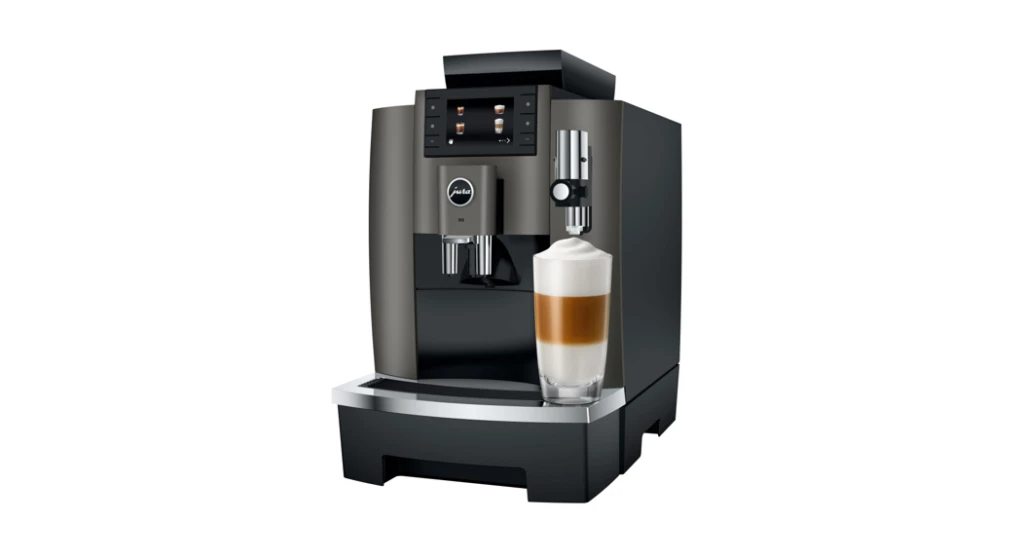
There is nothing quite like waking up to a freshly brewed cup from your Jura W8. It is a beautiful machine, quietly impressive in the way it grinds, brews, and delivers café-quality coffee at the touch of a button. But like any high-performance appliance, it needs a little care to keep performing at its best. If you have just brought one home or you are thinking about it, Explore More about this machine before diving into the maintenance routine, because understanding what you own makes caring for it a whole lot easier.
This guide walks you through exactly how to clean and descale your Jura W8, step by step, in plain language. No technical jargon, no guesswork, just everything you need to keep your machine running smoothly for years to come.
Why Cleaning Your Jura W8 Regularly Actually Matters
It is easy to put off cleaning a coffee machine, especially when it is still producing great-tasting coffee. But over time, coffee oils and milk residue build up inside the brewing system, and limescale from hard water slowly coats the internal components. Left unchecked, these deposits affect the taste of your coffee, reduce water flow, and put unnecessary strain on the machine’s pump and heating elements.
The good news is that the Jura W8 bean to cup coffee machine is genuinely one of the easier premium machines to maintain. Jura has built intelligent cleaning alerts directly into the machine’s interface, so you will never have to guess when it is time for a rinse, a clean, or a full descale. The machine tells you. All you have to do is listen and follow through.
Daily and Weekly Cleaning Routine: The Small Habits That Make a Big Difference
At Coffee Seller, they often say that good coffee maintenance starts with the small daily habits rather than the big occasional clean. And they are right. Here is what a sensible routine looks like for the Jura W8.
Every day: After your last brew of the day, allow the machine to run its automatic rinsing programme. The W8 does this on its own when you switch it off, flushing hot water through the internal brewing circuit to remove residual coffee oils. Do not skip this by cutting the power at the socket. Let the machine complete its cycle properly.
Wipe down the drip tray, remove it, and give it a quick rinse under the tap. Coffee drips accumulate quickly and can start to smell within a couple of days if left. This takes about 60 seconds and makes a noticeable difference.
Every week: Remove and rinse the brew unit. The W8 has a removable brew group, which you can access from the left side of the machine. Rinse it thoroughly under lukewarm water, never use detergent or put it in the dishwasher. Allow it to air dry before reinserting. This one step alone prevents a significant amount of internal coffee residue buildup.
Also wipe the steam nozzle and milk system components with a damp cloth, and empty and clean the coffee grounds container before it reaches the maximum fill line.
How to Use Jura Cleaning Tablets Properly
Jura recommends using its own cleaning tablets for the brewing circuit, and it is worth sticking to that recommendation. Third-party tablets can be hit or miss, and the Jura W8 office coffee machine is a precision piece of equipment that responds best to products it is designed around.
When the machine prompts you to run a cleaning programme, which typically happens every 180 brewing cycles, here is what to do:
Place one Jura cleaning tablet into the powder chute (not the bean hopper). Position a container under the coffee spout to collect the cleaning water that will flow through. Follow the on-screen instructions, which guide you through the process one step at a time. The whole cleaning cycle takes about 20 minutes, and the machine handles the heavy lifting. You just need to be present to follow the prompts.
Descaling the Jura W8: When, Why, and How
Descaling is the process of removing limescale, a chalky mineral deposit that forms inside your machine when hard water is heated repeatedly. If you are based in the UK, where water hardness varies considerably by region, descaling is especially important.
The Jura W8 coffee machine UK users love because of its smart limescale detection. It factors in your water hardness setting, which you should configure when you first set up the machine, and alerts you when a descale is due. If you have not set your water hardness yet, it is worth doing this through the machine menu before you run your first descale.
To descale the Jura W8:
Fill the water tank with fresh cold water and add one Jura descaling tablet. Allow it to dissolve fully. Position a large container under the coffee spout and steam nozzle to collect the descaling solution as it flushes through. Select the descaling programme from the machine’s maintenance menu. The process takes approximately 40 minutes and runs in several stages. Do not interrupt it once started. When the cycle is complete, the machine will run a rinse to clear any remaining descaler from the system.
After descaling, your machine’s water flow should feel noticeably more powerful, and your coffee temperature will be more consistent.
Filter Maintenance: Should You Use a Claris Filter?
Jura’s Claris Smart filter is designed to soften water before it enters the heating system, which reduces limescale buildup and improves the taste of your brew. For anyone in a hard water area, it is a genuinely worthwhile investment.
The W8 is compatible with Claris filters, and using one regularly extends the time between required descales. The machine will track filter usage and prompt you when it needs replacing, usually every 50 litres depending on your water hardness setting.
Quick Troubleshooting: When the Machine Is Alerting You
Sometimes the W8 will display maintenance alerts that catch users off guard. Here are a few common ones and what they mean:
“Rinse” alerts at startup are completely normal and simply mean the machine is running a brief internal flush to bring components up to temperature. Let it complete.
“Clean milk system” prompts appear after milk-based drinks and require a milk system cleaner tablet. Follow the same process as the brewing circuit clean, using the dedicated milk cleaning programme.
“Empty drip tray” means exactly that. The drip tray float has risen, indicating it needs emptying. This is not a fault, just a reminder.
Your Coffee Machine Deserves the Best Care: Start with Coffee Seller
Taking care of your Jura W8 is one of the simplest ways to protect a significant investment and ensure every single cup tastes exactly as it should. The good news is you do not have to source everything yourself or figure out the right products through trial and error. Coffee Seller is an expert resource for coffee machine owners across the UK, offering not only a handpicked selection of premium machines but also the accessories, cleaning products, and advice you need to keep them performing at their peak.
Whether you are a new Jura owner or a long-time coffee enthusiast looking to level up your routine, Coffee Seller gives you everything in one trusted place. Great coffee starts with a well-maintained machine, and that journey is a lot more enjoyable when you have the right support behind you.
Frequently Asked Questions
Q1: How often should I descale my Jura W8?
The machine will alert you when a descale is due, which is typically every two to three months depending on how frequently you use it and how hard your water is. If you use a Claris water filter, the intervals between descales will be longer. Always follow the machine’s built-in prompts rather than relying on a fixed calendar schedule.
Q2: Can I use non-Jura cleaning tablets in my W8?
Jura recommends using their own branded cleaning tablets, and for good reason. The cleaning cycles are calibrated around those specific tablet formulations. Using third-party products may not clean as effectively and in some cases could void your warranty. It is a small extra cost for significant peace of mind.
Q3: What happens if I skip the cleaning programme when prompted?
The machine will continue to remind you, but repeatedly skipping the cleaning cycle allows coffee oils to build up inside the brewing unit. Over time this affects the flavour of your coffee, making it taste stale or bitter, and can lead to blockages that require professional servicing to resolve.
Q4: How do I remove and clean the brew group on the Jura W8?
Open the side panel on the left of the machine (the machine must be switched on first). Press the release button and slide the brew unit out. Rinse it thoroughly under lukewarm running water and leave it to air dry completely before reinserting. Never use soap or put it in the dishwasher, and never reinsert it while wet if the machine is about to run a programme.
Q5: My Jura W8 is showing a milk system clean alert. What do I do?
Place a Jura milk system cleaner tablet in the designated compartment and follow the on-screen cleaning programme. The machine will guide you through flushing the milk circuit with the cleaning solution, followed by a fresh water rinse. This keeps the milk frother hygienic and prevents residue from affecting the texture and taste of milk-based drinks.
Q6: Does the Jura W8 need professional servicing?
With regular cleaning and descaling, most Jura W8 machines run reliably for many years without needing professional attention. Jura recommends a professional service every few years or if you notice a significant drop in performance that cleaning does not resolve. Buying from a reputable UK retailer with good after-sales support makes accessing service and advice much easier when you do need it.