
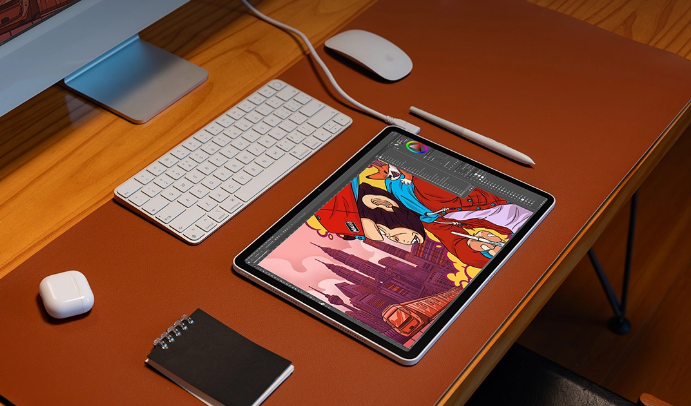
Modern architectural work rarely stays confined to a desk. Whether you are walking a construction site to verify clearances, sketching massing studies at a café, or adjusting 3D volumes during a client meeting, portable hardware speeds up design approvals. Yet most consumer tablets focus on video streaming rather than technical drafting. Open a 200MB CAD file on an underpowered device, and thermal throttling or crashes will quickly interrupt your session. Finding the best tablet for Architectural Design requires looking past consumer marketing to evaluate computational throughput, optical display calibration, and stylus digitizer precision.
1. What Makes the Best Tablet for Architectural Design?
Architecture demands strict attention to spatial proportion, line-weight hierarchy, and material light behavior. Any device competing to be the best tablet for Architectural Design must clear high engineering thresholds across three core subsystems.
Display Size, Resolution, and Color Accuracy
Architectural drawings pack dense dimension strings, grid axes, and section hatch patterns into tight spaces. A cramped screen forces constant pinch-zooming, breaking your focus.
Screen Dimensions and Aspect Ratio: A 12-inch to 14-inch panel balances portability with workspace visibility. Compared to 16:9 widescreen displays, a 3:2 or 4:3 aspect ratio provides roughly 15% to 20% more vertical space, making it easier to inspect full-height elevations and wall sections without panning.
Pixel Density and Anti-Glare Etching: Look for at least a 2K (2160 x 1440) or 2.8K resolution above 260 PPI so diagonal lines and curved arcs render without jagged edges. Because architects regularly review plans under bright job-site sunlight or overhead office LEDs, an AG nano-etched matte glass surface diffuses glare while adding subtle friction that feels like drawing on vellum.
Color Gamut and Calibration: When building interior material boards or color-grading exterior renders, the display should cover 100% sRGB alongside strong Adobe RGB or DCI-P3 coverage, calibrated to a Delta E below 1.5.
Processing Power, RAM, and Thermal Performance
Viewing a flattened PDF blueprint barely taxes a mid-range chip, but real-time 3D massing and point-cloud navigation expose hardware bottlenecks fast.
CPU Single-Core Speed and GPU Throughput: CAD geometry engines rely heavily on fast single-core clock speeds, while real-time viewport shading depends on multi-core GPU pipelines.
Memory Overhead: 16GB of RAM is now the baseline for serious architectural work. Running a layered vector sketching app alongside a cloud BIM viewer and high-resolution reference boards will quickly force an 8GB tablet to close background apps, risking unsaved edits.
Internal Storage: Start at 512GB of solid-state storage. A single commercial project's IFC models, high-resolution textures, and on-site LiDAR scans can easily eat up tens of gigabytes before schematic design ends.
Stylus Latency, Pressure Sensitivity, and Tilt Recognition
For an architect, a stylus acts as a direct extension of hand-eye coordination. Evaluating stylus performance comes down to three measurable metrics:
Pressure Levels and Initial Activation Force (IAF): Professional styluses support 8,192 to 16,384 pressure levels. Equally vital is an initial activation force around 3 grams, letting the nib register faint construction lines and delicate cross-hatching without skipping.
Report Rate and Latency: A digitizer report rate above 200Hz keeps stroke latency under 9 milliseconds, eliminating visual lag during rapid perspective sketching.
Tilt Response and Palm Rejection: Support for ±60 degrees of tilt lets you shade broad facade shadows using the side of the nib, while hardware-level palm rejection ensures resting your hand on the glass never triggers accidental menu taps.
2. Software Compatibility for the Best Tablet for Architectural Design
Raw silicon means little if your operating system cannot open the file formats your studio uses every day. Before buying the best tablet for Architectural Design, verify how well its software ecosystem bridges conceptual sketching with production documentation.
Conceptual Sketching and Vector Drafting Apps
During early massing and spatial zoning, architects rely on layered digital trace paper. Apps like Morpholio Trace, Concepts, and Procreate lead mobile architectural sketching because they support true-to-scale grids, custom line weights, and infinite canvases. You can import a scaled site plan, sketch programmatic overlays, and export layered PSD or vector PDF files straight into your desktop workflow.
2D CAD Drafting and Site Markup Tools
Walking a job site requires opening native DWG and DXF files to verify dimensions, drop punch-list pins, and send redlines back to the office. Mobile versions of AutoCAD, GstarCAD, and Shapr3D handle layer toggling, distance measurements, and block inspection reliably on modern tablet hardware. While mobile CAD lacks the deep LISP scripting of desktop workstations, it saves you from hauling rolled paper sets across scaffolding.
3D Modeling, BIM Coordination, and Spatial Scanning
Lightweight 3D Massing: SketchUp for iPad and Shapr3D let you push-pull volumes, test solar angles, and assign materials with a stylus, exporting clean SKP, OBJ, or STEP files for refinement in Rhino or Revit.
BIM Model Review: Platforms like Autodesk Construction Cloud and Trimble Connect let project architects orbit, section, and inspect federated BIM models on-site, checking MEP clash zones against actual framing.
LiDAR and Photogrammetry Capture: Tablets with LiDAR scanners or depth sensors run apps like Polycam or Canvas to scan existing interiors in minutes, generating dimensioned 3D point clouds and floor plans that cut hours of manual measuring during renovation surveys.
3. Best Tablet for Architectural Design: Key Features Compared
To show how specialized creative hardware separates itself from everyday consumer tablets during demanding project phases, the table below compares standard retail models against the benchmarks required for the best tablet for Architectural Design.
| Evaluation Metric | Standard Consumer Tablet | Professional Architectural Tablet Standard | Impact on Architectural Workflows |
|---|---|---|---|
| Display Size & Finish | 10–11 inches; glossy glass | 12–14 inches; AG nano-etched matte anti-glare | Stays readable in direct sunlight on job sites; cuts eye strain and nib slip |
| Color Gamut & Accuracy | 70%–90% sRGB; uncalibrated | 100% sRGB / 99% Adobe RGB; Delta E < 1.5 | Keeps interior finishes, stone textures, and renders consistent with monitors |
| Stylus Tech & Pressure | 4,096 levels; needs charging | 8,192–16,384 levels; battery-free EMR | Zero charging downtime; captures fine line-weight shifts for sections |
| RAM & Storage | 4GB–8GB RAM; 64GB–128GB | 16GB+ RAM; 512GB–1TB fast flash | Opens large DWG files and layered sketches without background crashes |
| File System & Ports | Closed sandboxing; clunky drives | Open directory; USB-C / OTG drive support | Direct transfer of CAD, OBJ, and renders via SSDs or NAS servers |
| Battery & Charging | 8h browsing; under 3h 3D load | 6–8h active drafting; 45W+ PD fast charge | Lasts through full-day site visits and travel without outlet hunting |
Independent architects and small studios often hit a clear budget wall: enterprise mobile workstations carry high price tags, while entry-level tablets lack accurate stylus tracking for fine technical linework. Bridging that gap, a dedicated standalone device like the XPPen Magic Pro 13 standalone drawing Pad offers a practical middle ground. Running completely independent of a PC, it pairs a 13-inch 2.8K anti-glare display with a 16,384-level pressure-sensitive stylus, making it well suited for residential architects and interior designers who need responsive hand-sketching, reliable color accuracy, and easy portability for on-site client revisions without buying bulky workstation gear.

4. Which Type of Tablet Is Best for Different Architectural Tasks?
Architecture covers everything from macro urban master planning to millimeter-accurate millwork detailing. Even when shopping for the best tablet for Architectural Design, the right setup shifts depending on your primary role in the project lifecycle.
Early-Stage Conceptual Design and Hand Sketching
For design principals and concept architects, a tablet works best as an infinite digital sketchbook. Low stylus latency, a tactile matte surface, and an ergonomic pen barrel matter far more here than raw 3D polygon crunching. Using infinite-canvas vector apps, you can zoom from a 1:1000 site circulation diagram down to a 1:50 courtyard entrance perspective on one sheet, testing spatial ideas without canvas limits.
Construction Administration and Field Inspections
Project managers and field architects need a durable, bright device built for dusty job sites. Peak display brightness above 500 nits keeps drawings readable outdoors without shading the screen by hand. Seamless camera integration is just as vital—letting you photograph framing issues, pin them onto the matching CAD plan, and send annotated PDF field reports before leaving the site.
Interior Architecture and Client Material Presentations
When presenting interior concepts to clients, visual accuracy sells the spatial narrative. Choosing the best tablet for Architectural Design with an OLED or high-contrast wide-gamut panel ensures wood grain undertones, brushed metal finishes, and lighting studies look realistic. Passing a lightweight tablet across a conference table lets clients zoom into custom joinery details and compare finishes interactively.
5. Best Tablet for Architectural Design vs. Laptop: Which Should You Choose?
Architecture students and practicing professionals working within a fixed budget inevitably face a tough choice: should you buy the best tablet for Architectural Design, or put that money toward a workstation laptop? Understanding the physical limits of each form factor makes the decision clear.
Heavy Computational Workloads and Rendering Limits
A high-powered laptop with discrete graphics remains the backbone of architectural production. Once a project enters construction documentation, parametric facade modeling in Rhino and Grasshopper, federated BIM coordination in Revit, or ray-traced walkthroughs in Enscape, V-Ray, or Lumion, passive tablet cooling cannot keep up. Heavy geometry processing and GPU rendering demand active fans and sustained wattage that thin slate chassis cannot support.
Ergonomics, Mobility, and Direct Stylus Input
Where laptops fall short is direct input and standing mobility. Balancing a 5-pound workstation laptop on one arm while annotating a floor plan with a trackpad during a site walk is awkward, and drawing expressive perspectives with a mouse is nearly impossible. The best tablet for Architectural Design merges display and input into one surface, waking instantly so you can capture spatial ideas the second they strike.
The Optimal Hybrid Studio Workflow
For full-time practitioners, a tablet is not a desktop replacement—it is an efficient field extension. Productive studios pair a heavy-duty desktop workstation in the office with the best tablet for Architectural Design for travel, meetings, and early schematic work. Cloud storage keeps DWG, SKP, and PDF sets synced across both devices automatically. Better yet, many creative tablets connect back to your studio PC via USB-C or wireless display protocols, doubling as a secondary pen display for Photoshop post-production when you return to your desk.
Conclusion
Selecting the best tablet for Architectural Design comes down to matching hardware specs with your daily workflow rather than chasing marketing numbers. If your work centers on schematic sketching and finish selection, prioritize a color-accurate, nano-etched matte screen paired with a precise, battery-free stylus. If you spend most of your week walking active job sites and reviewing BIM models, focus on 16GB of RAM, high outdoor brightness, and open file management. Chosen deliberately, the right tablet acts as a portable drafting table that moves seamlessly from studio desk to construction site.