
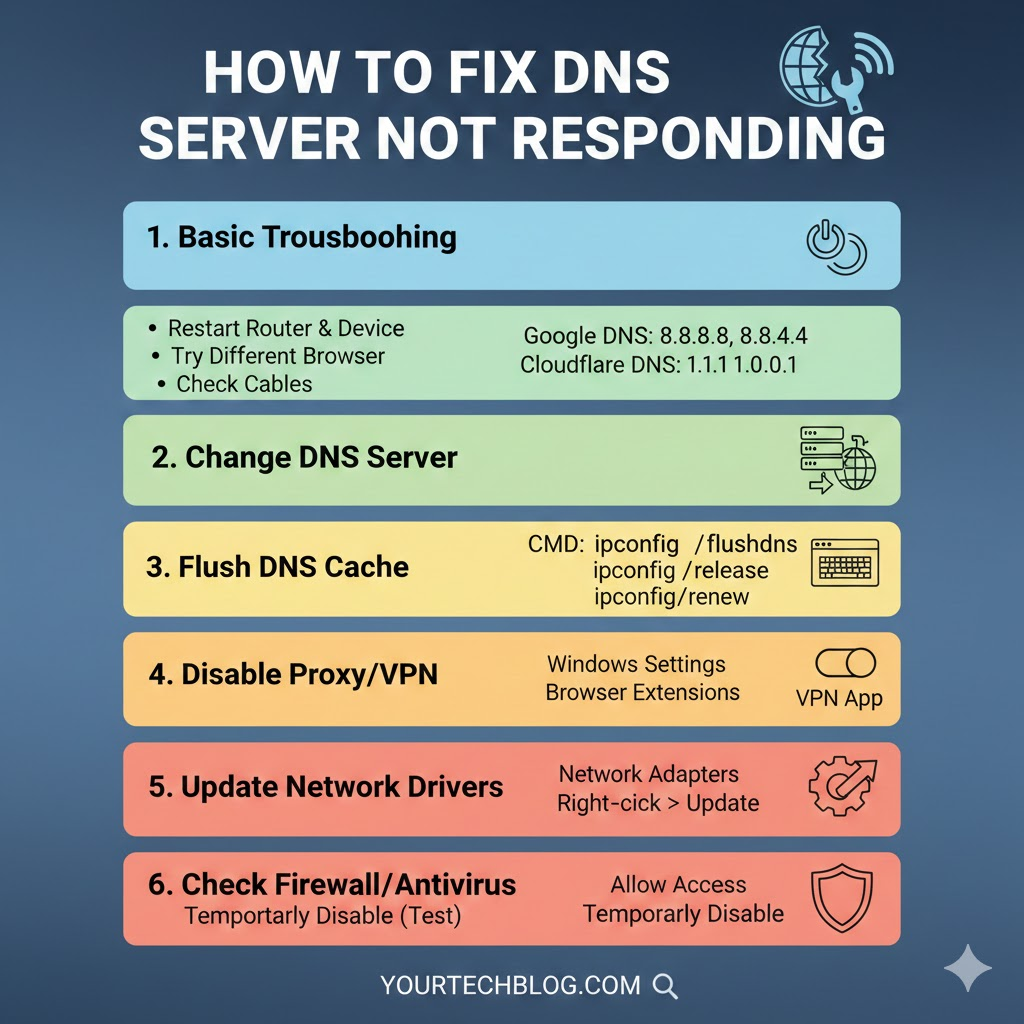
Experiencing a DNS server not responding error can be frustrating, as it prevents access to websites and online services. A DNS server translates website names into IP addresses, allowing your device to connect to the internet. Knowing how to fix dns server not responding is essential for maintaining smooth and reliable browsing on both Windows and Mac devices.
Many users face this error due to network issues, incorrect settings, or software conflicts. Learning how to fix dns server not responding can save time and avoid unnecessary stress. This guide covers quick fixes, advanced solutions, and device-specific tips to restore your internet connection efficiently.
What Causes the DNS Server Not Responding Error
A DNS server not responding error can occur for several reasons. Network problems, such as router or modem glitches, unstable connections, or misconfigurations, are common causes. Even temporary interruptions can prevent your device from communicating with DNS servers. Knowing these causes is the first step in understanding how to fix dns server not responding.
Other causes include misconfigured DNS settings, unresponsive ISP servers, or outdated network drivers. Firewalls, antivirus software, and VPNs can sometimes block DNS requests, while browser issues or internet outages can also contribute. Recognising these factors ensures you apply the correct methods to fix the problem effectively.
Quick Fixes for the DNS Server Not Responding
Restarting your devices is often the easiest solution. Power cycling your modem, router, and computer refreshes network connections and clears temporary glitches. This simple step can restore internet access quickly, which is why it is the first method recommended when learning how to fix dns server not responding.
Flushing the DNS cache is another effective quick fix. Windows users can open Command Prompt and run ipconfig /flushdns, while Mac users can use Terminal commands. Additionally, running the network troubleshooter or temporarily disabling antivirus and firewall software can help. These methods are practical for resolving DNS errors without advanced technical knowledge.
Advanced Fixes for Persistent DNS Errors
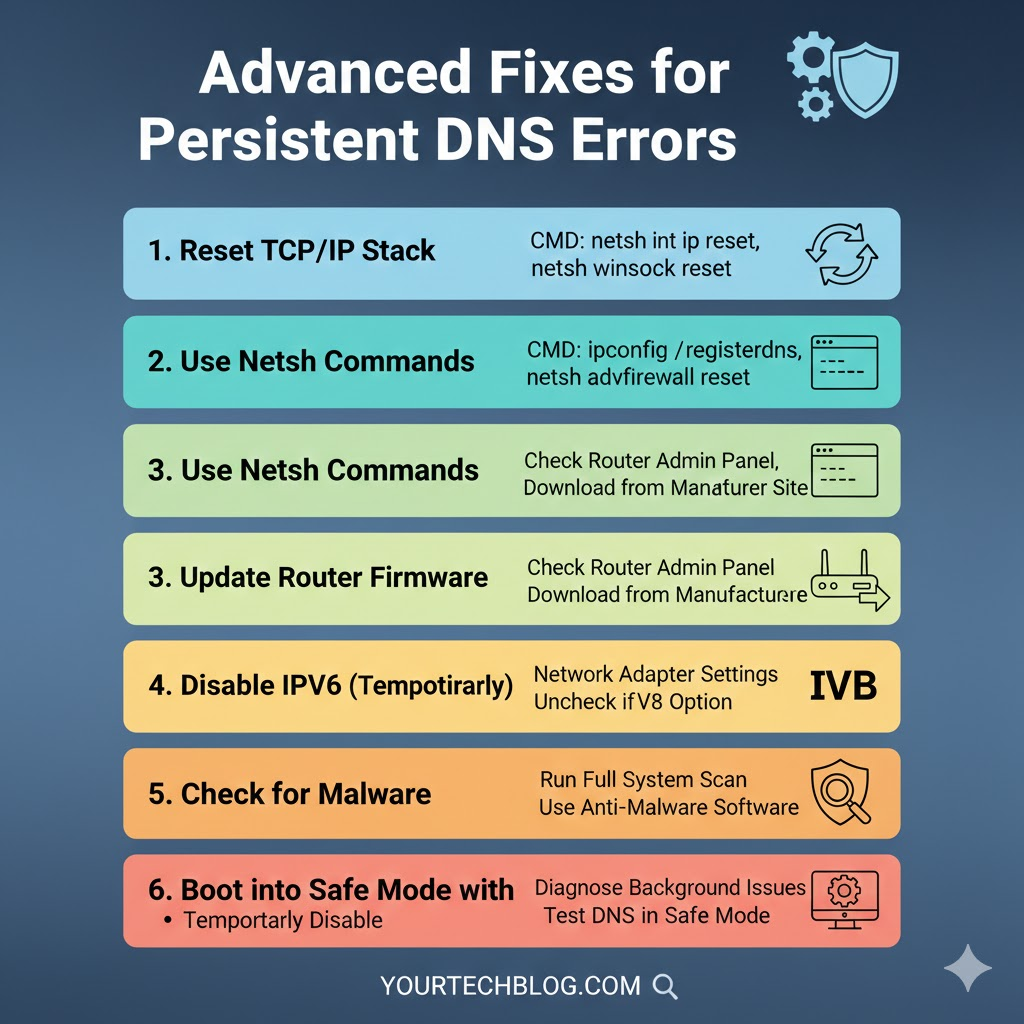
For persistent DNS issues, changing your DNS server to a public option like Google DNS (8.8.8.8 and 8.8.4.4) or Cloudflare DNS (1.1.1.1) often works. Adjusting network adapter settings ensures your device communicates efficiently with these servers, which is crucial when understanding how to fix dns server not responding.
Updating or reinstalling network drivers can solve problems caused by outdated or corrupted components. Disabling IPv6 and performing a network reset are additional advanced methods. These steps are necessary for users who frequently encounter DNS errors and want a more permanent solution.
Device-Specific Tips: Windows, Mac, and Other Devices
Windows users can utilise built-in troubleshooting tools, adjust network settings, and update drivers to fix DNS errors. These steps often resolve issues quickly and effectively. Knowing how to fix dns server not responding on Windows can save considerable time and frustration.
Mac users can reset network preferences, flush the DNS cache, and modify DNS settings to improve connectivity. Mobile devices, including iOS and Android smartphones, may require network settings adjustments or switching to a public DNS server. Gaming consoles and smart TVs can also experience DNS errors, which can be fixed using similar methods.
When to Contact Your ISP or Professional Support
Sometimes, the DNS server not responding error is caused by your ISP or wider network issues. If all troubleshooting steps fail, contacting your internet service provider is advisable. Providing details about your device and attempted fixes allows them to assist you faster.
Persistent errors may require professional IT support. Network specialists can identify hidden hardware or configuration issues and provide permanent solutions. Recognising when to escalate ensures that your internet connection is restored safely and efficiently. Knowing how to fix dns server not responding includes understanding when to seek help.
Preventing Future DNS Server Issues
To prevent DNS errors, regularly update network drivers and maintain your devices. Using reliable public DNS servers, clearing your DNS cache periodically, and properly configuring firewalls and antivirus software can reduce recurring errors.
Regular maintenance ensures that your network remains optimised for reliable internet connectivity. Understanding how to fix dns server not responding is not only about solving immediate problems but also about preventing future disruptions. A proactive approach guarantees smoother browsing and fewer interruptions.
Conclusion
The DNS server not responding error can interrupt online activities, but most problems are solvable using simple or advanced methods. Following this guide allows users to restore connectivity on Windows, Mac, mobile devices, and consoles efficiently. Learning how to fix dns server not responding ensures stable, reliable internet access while reducing future errors.